

CQAR Guide
Onboarding Guide
First-time setup for new HR teams — from account creation to your first invited candidate, in five steps.
Create your CQAR account
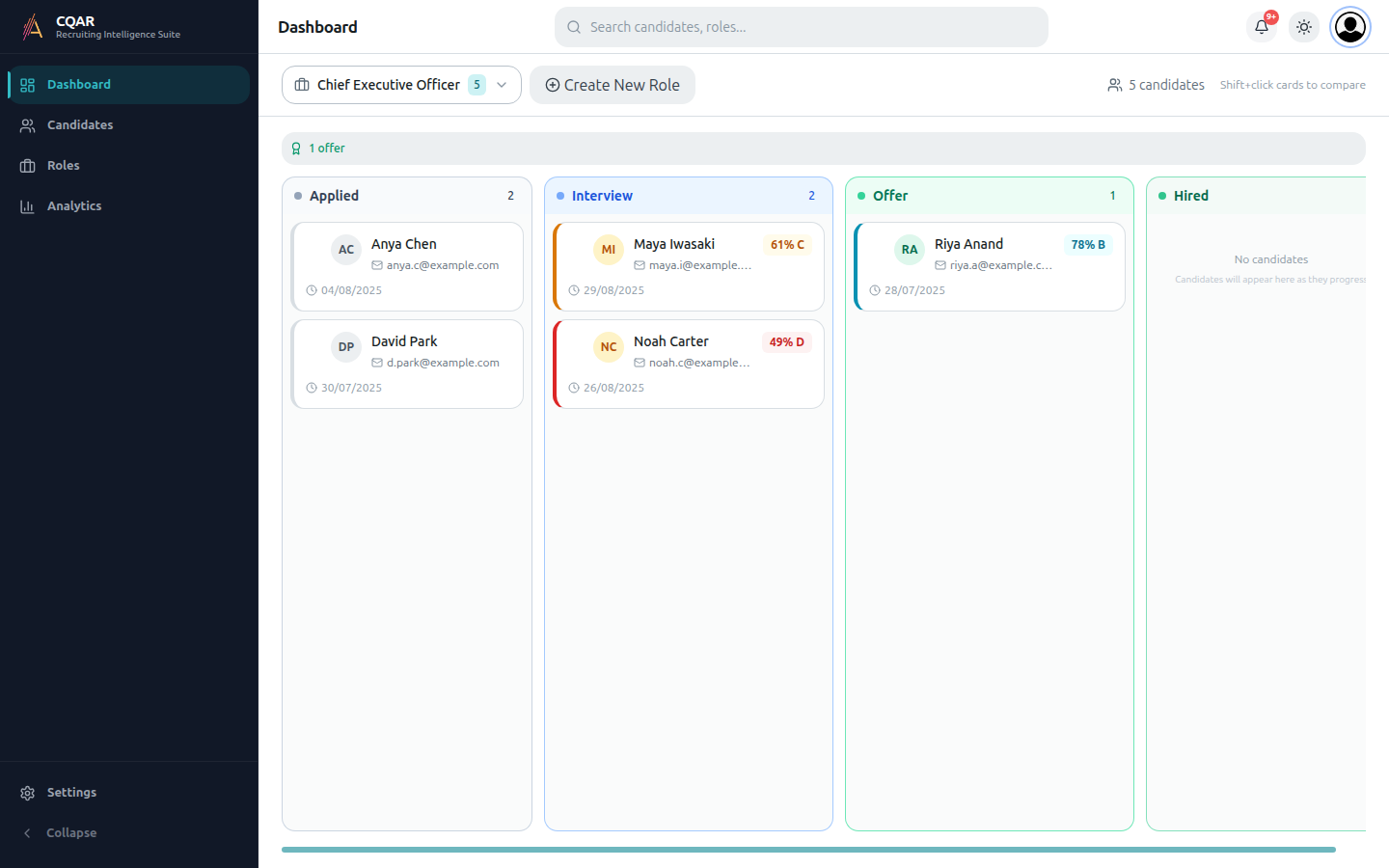
Sign up takes under a minute. Pricing is tailored per organisation — your account starts in trial mode.
- Go to
cqar.aiand click Get Started in the top-right. - Enter your work email and a password.
- Verify the OTP that lands in your inbox.
- You'll land on the dashboard with an empty pipeline.
Create your first role
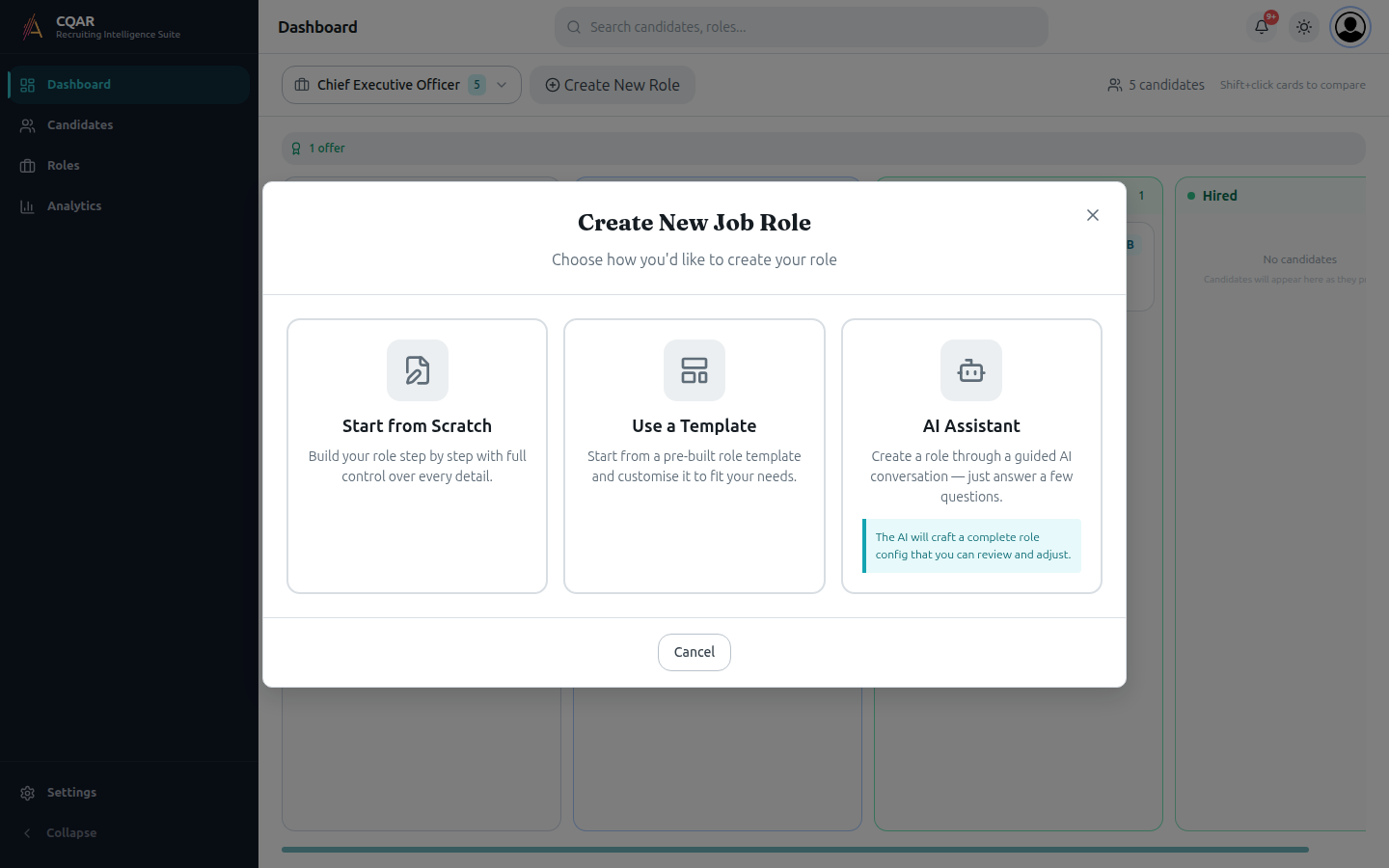
Click Create New Role and pick how you'd like to build it.
- Start from Scratch — full manual control over every wizard step.
- Use a Template — pre-built role configs for common positions.
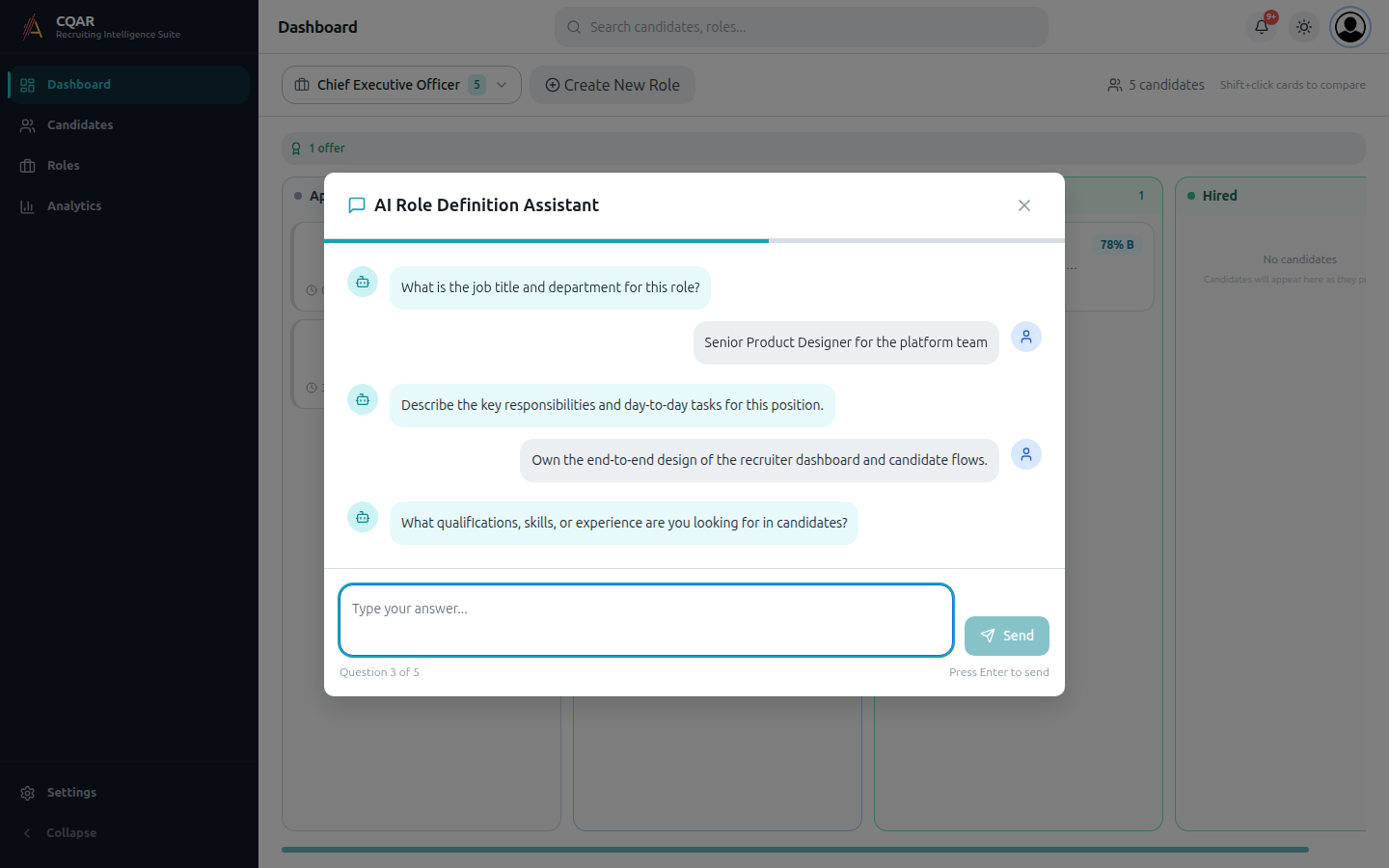
- AI Assistant — answer five questions and CQAR drafts a complete role for you to review.
Let the AI Assistant draft the role
Five short questions cover title, responsibilities, qualifications, team culture, and important traits.
- Answer in plain English — there's no wrong format.
- When you hit the last question, CQAR creates the role on the backend.
- You're dropped into the standard role wizard to review and adjust.
Share the application link
Every saved role gets a unique apply URL — send it to candidates by email or post it on a job board.
- The Save dialog shows your shareable link and a Copy button.
- Candidates land on a branded apply page, upload their resume, and consent to participate.
- Their stage updates automatically as they progress through screening and interview.
Review the first results
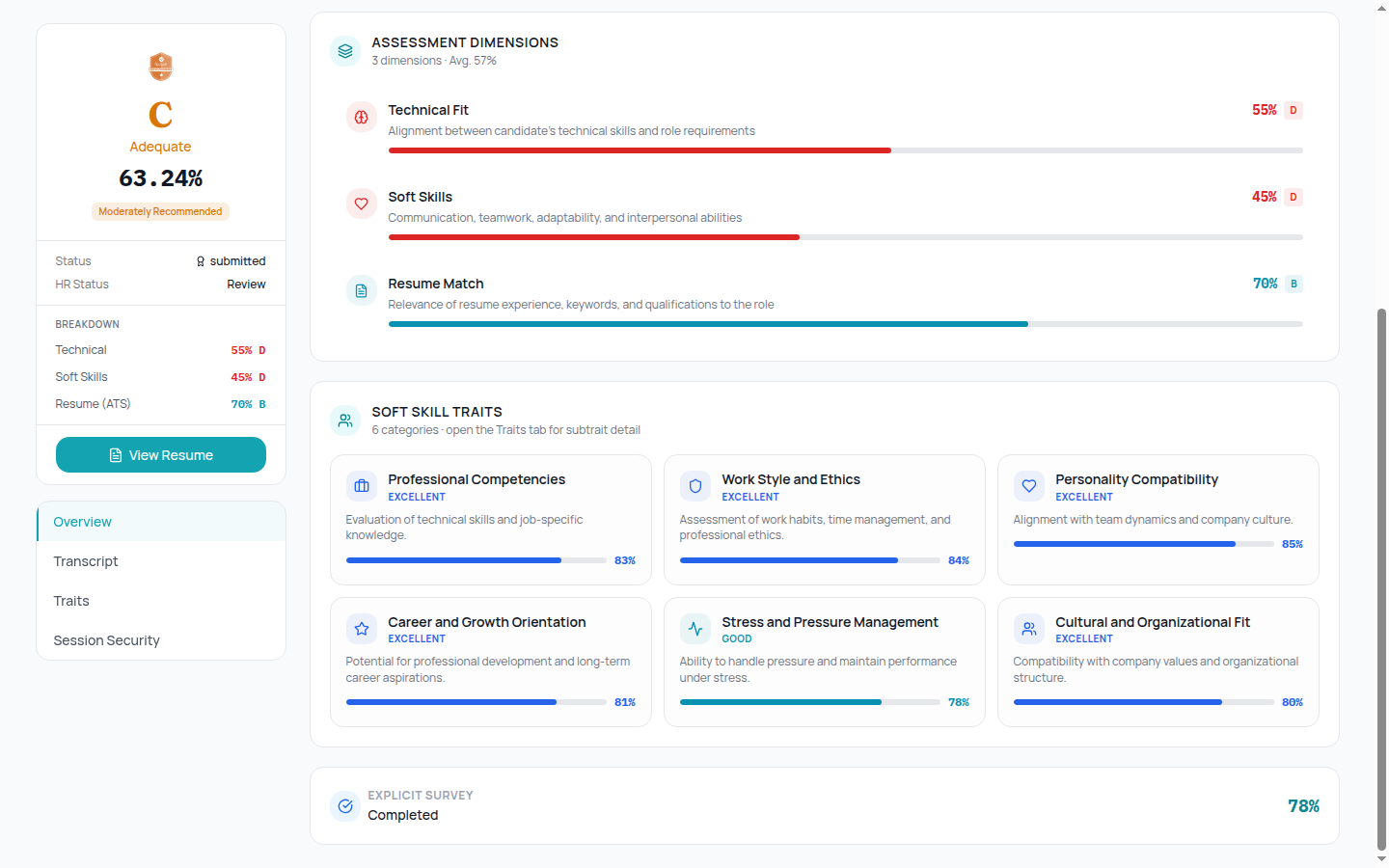
Each completed candidate gets a graded report with assessment dimensions and soft-skill trait cards.
- Click a candidate card in the pipeline to open the result page.
- Use the tabs (Overview, Transcript, Traits, Session Security) to drill down.
- Move the candidate forward, hold, or reject by dragging their card on the kanban.
You're set
The Recruiter How-To guide goes deeper on day-to-day tasks like comparing shortlists, re-inviting candidates, and exporting reports.
Open the Recruiter How-To guide next, or read How CQAR Works for the product narrative.